![]() |
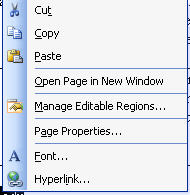
By RIGHT CLICKING on the text/image you will choose HYPERLINK | ||
![]() |
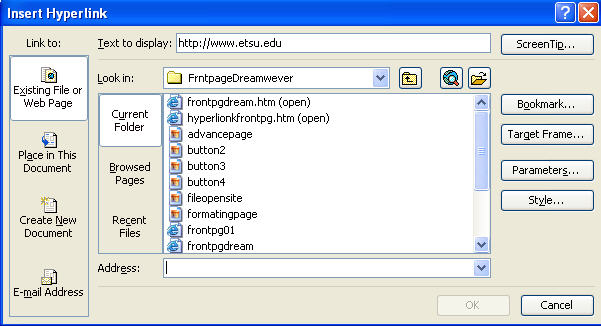
You can choose several methods of selecting an address for the link.. | ||
| CURRENT FOLDER- this allows you to choose pages or images within the current working folder | BROWSED PAGES- this allows you to use the browser to select a site address, you do not have to retype the address | RECENT FILES- this allows you to choose files that you have recently worked on, like other pages of your web site | |
| Another choice is to create a link to an e-mail address.. choose E-mail Address from the menu on the extreme left of this window. Place the E-mail address in the address box. | |||
![]() |
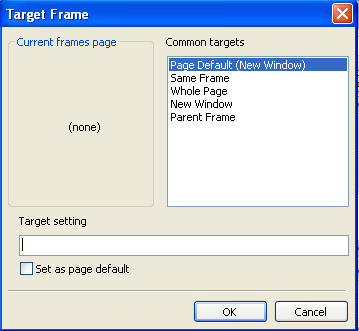
By choosing TARGET FRAME, this window opens
and allows you to choose how you want to hyperlink to work..
SAME FRAME-- useful if you are using frames and want pages to load into the same frame WHOLE PAGE-- will load your linked page into a whole window without frames NEW WINDOW-- will load your linked page into a new browser window PARENT FRAME--again, when using frames you can designate a parent frame for pages to load into SET AS PAGE DEFAULT--if you are working on a site with several links and you want all links to open in the same target, choose this check-box and all subsequent pages will follow that default.. |
||